
.png)
Description
Download Portal The Flash Version – Free 2D Puzzle Game, Browser Play, No Install
Overview
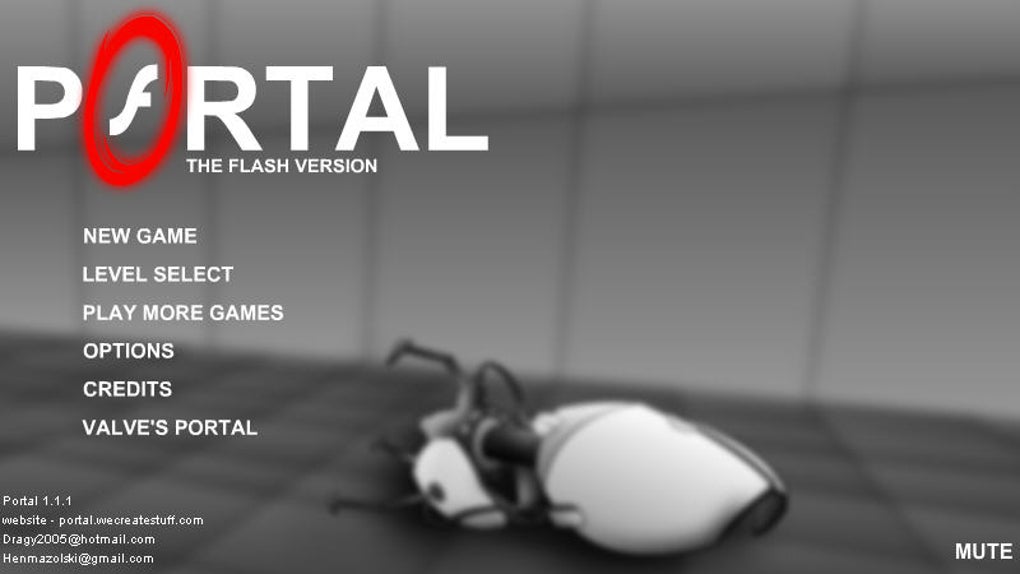
Portal The Flash Version is a clever 2‑dimensional reinterpretation of Valve’s iconic puzzle franchise, offered as a free browser‑based experience. While the original game dazzles with its 3‑D environments, physics‑based portals, and the dry wit of GLaDOS, this flash‑powered adaptation captures the core mechanic – creating a blue and a yellow portal to instantly travel between two points – and distills it into a side‑scroll format that runs on any modern web browser. Players awaken in a sterile test chamber, equipped with a portal gun that shoots one blue and one orange portal. The goal is simple yet deceptively challenging: place portals on walls, floors, or ceilings to navigate obstacles, avoid hazards, and reach the exit door. The 2D layout strips away the atmospheric lighting and voice‑over narration, but it compensates with quick‑fire level design that forces you to think in “flattened” space. Each room presents a fresh twist on the portal concept – from moving platforms that require timing, to lasers that must be redirected, to momentum‑based puzzles that rely on “flinging” yourself across gaps. Because it runs entirely in Flash (or HTML5 equivalents for modern browsers), the game loads instantly, requires no installation, and can be played on virtually any device with an internet connection. The learning curve is gentle: the first few chambers serve as a tutorial, teaching you how portals interact with gravity and momentum. As you progress, the difficulty ramps up, introducing multiple solutions, hidden shortcuts, and occasional dead‑ends that test your persistence. Though the experience lacks the haunting voice of GLaDOS and the immersive 3‑D visuals, it delivers a satisfying, brain‑twisting time‑waster that honors the spirit of the original series while remaining accessible to casual gamers.
Core Features
- Free, browser‑based gameplay – no download or installation required.
- Authentic portal‑gun mechanic with one blue and one orange portal.
- Over 30 handcrafted 2D test chambers that increase in complexity.
- Physics‑based momentum system that lets you “fling” yourself across gaps.
- Interactive objects such as moving platforms, laser beams, and pressure plates.
- Multiple puzzle solutions encouraging creative problem‑solving.
- Responsive controls optimized for keyboard, mouse, and touch devices.
- Lightweight code ensures fast load times even on slower connections.
- Optional sound effects that can be muted for silent play.
- Regular community‑submitted level packs that extend replayability.
Each feature has been designed to retain the core appeal of the original Portal series while adapting it to a 2‑D canvas. The free‑to‑play model means you can jump straight into a puzzle without any hidden fees or subscription hurdles. The portal‑gun mechanic remains faithful: you place the blue portal on one surface and the orange portal on another, then step or launch yourself through the pair. The physics engine, although simplified for 2‑D, still respects momentum, allowing for the classic “fling” technique that made the original so rewarding. The level design balances tutorial moments with increasingly intricate challenges, ensuring that both newcomers and veteran puzzle fans stay engaged. Interactive elements like lasers can be redirected by positioning portals strategically, while pressure plates trigger doors or move platforms, adding layers of cause‑and‑effect reasoning. Because the game runs in a browser, it automatically adapts to different screen sizes, making it equally playable on a desktop monitor or a mobile phone. The optional sound pack adds subtle auditory cues—portal opening sounds, platform whirs, and success chimes—without overwhelming the player. Community‑driven level packs keep the experience fresh, offering new puzzles that test the limits of the portal mechanic. In short, Portal The Flash Version packs a surprisingly deep puzzle experience into a lightweight, accessible package.
Installation & Usage Instructions
Getting started with Portal The Flash Version is intentionally frictionless. Since the game runs directly in your web browser, there is no traditional “installation” process. Follow these steps to begin playing:
- Choose a supported browser. The game works best on the latest versions of Chrome, Firefox, Edge, or Safari. If you’re using an older browser, consider updating to ensure Flash or HTML5 compatibility.
- Navigate to the official game page. Enter the URL provided by the developer or locate the game on a reputable gaming portal. The landing page will display a large “Play Now” button.
- Allow any required plugins. Some legacy versions still rely on Adobe Flash. Modern browsers may prompt you to enable Flash for the site; simply click “Allow” and refresh the page. If the game has been ported to HTML5, no extra steps are needed.
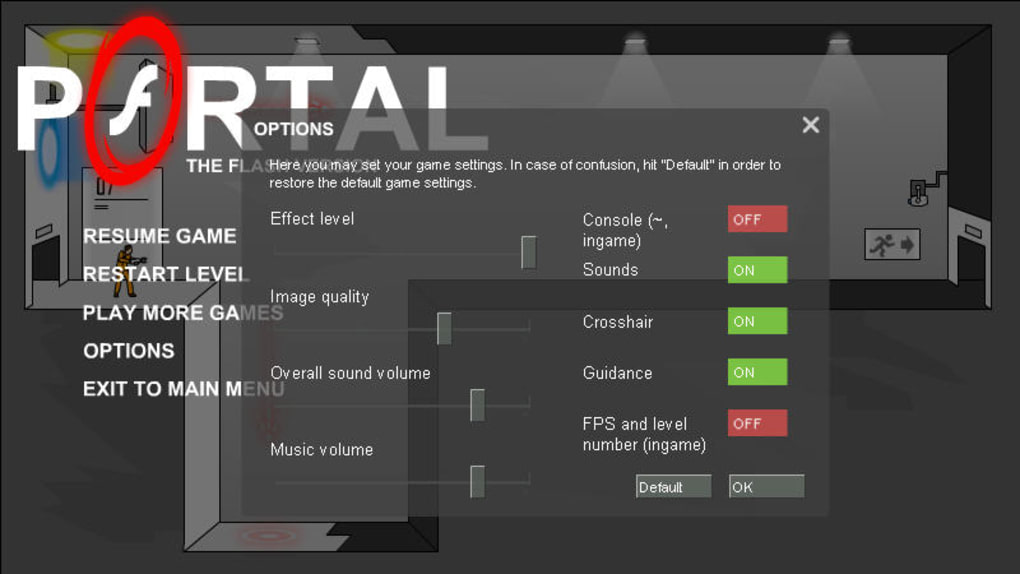
- Adjust audio settings. A small speaker icon in the corner lets you toggle sound effects on or off. If you prefer a silent experience, mute the game here.
- Familiarize yourself with controls. By default, W/A/S/D move the character, the left mouse button places the blue portal, and the right mouse button places the orange portal. On touch devices, tap the screen to aim and drag to place portals.
- Start the tutorial. The first chamber walks you through portal placement, momentum, and basic obstacles. Follow the on‑screen prompts to master the mechanics.
- Progress through levels. After the tutorial, you’ll be presented with a level selector. Click any unlocked chamber to begin. Each level displays a “Restart” button for quick resets and a “Hint” button that offers a subtle clue (limited to one use per level).
- Save your progress. The game uses browser cookies to remember completed levels. If you clear your cookies, progress will reset, so consider bookmarking the page for easy return.
While the game is designed for immediate play, there are a few optional tips to enhance your experience. Using a keyboard and mouse provides the most precise portal placement, especially for tight puzzles. If you encounter performance hiccups on a low‑end device, lower the graphics quality in the settings menu (found in the pause screen) to improve frame rates. For mobile players, landscape orientation offers the best view of the playfield and reduces accidental taps. Finally, explore community forums for custom level packs; many creators upload their own chambers that can be loaded via a simple “Import” button, extending the game’s lifespan well beyond the built‑in levels. With these instructions, you’re ready to dive into the mind‑bending world of Portal The Flash Version and start solving puzzles that challenge both logic and spatial awareness.
Compatibility, Pros & Cons
Portal The Flash Version is built to run on any operating system that supports a modern web browser, including Windows 10/11, macOS Monterey and later, Linux distributions, Chrome OS, Android 9+ (via Chrome), and iOS 13+ (via Safari). Because the game executes in the browser, it automatically detects the underlying platform and adjusts input methods accordingly – keyboard and mouse for desktops, touch controls for mobile devices, and even gamepad support for browsers that expose the Gamepad API. The lightweight nature of the application means it consumes minimal RAM and CPU resources, making it suitable for older hardware and low‑end netbooks. However, users on very outdated browsers may need to enable legacy Flash support or switch to an HTML5‑compatible version, which the developer typically provides on the same download page.
Pros
- Free and instantly accessible: No purchase, no download, just open the page and play.
- Core portal mechanic preserved: The blue/orange portal system feels authentic to the original series.
- Quick loading times: Lightweight code ensures the game starts within seconds.
- Cross‑platform compatibility: Works on Windows, macOS, Linux, Android, and iOS.
- Replay value: Community‑created levels keep the puzzle library fresh.
- Simple controls: Keyboard/mouse or touch inputs are intuitive and responsive.
- Low system requirements: Runs smoothly on older PCs and mobile devices.
Cons
- Lacks GLaDOS’s voice: The iconic narrator’s humor and personality are missing.
- 2D limitations: Some puzzles feel constrained compared to the original 3D experience.
- Occasional frustration: Certain levels require pixel‑perfect portal placement, which can be finicky on touch screens.
- Visual simplicity: Graphics are basic, lacking the atmospheric lighting of the full‑size game.
- Reliance on browser plugins: Older versions may need Flash enabled, which poses security concerns.
Overall, Portal The Flash Version offers a compelling taste of the beloved franchise for anyone looking for a quick, free puzzle fix. Its strengths lie in accessibility and faithful recreation of portal mechanics, while its weaknesses stem from the stripped‑down presentation and missing narrative flair. If you’re a fan of brain‑teasing platformers and enjoy experimenting with physics‑based puzzles, the pros outweigh the cons, making it a worthwhile addition to your browser game collection.
Frequently Asked Questions
Do I need to install any software to play Portal The Flash Version?
No. The game runs entirely in a modern web browser. Just visit the official page, enable Flash if required (or use the HTML5 version), and you can start playing immediately.
Is Portal The Flash Version safe to play on my computer?
Yes. The game is hosted on reputable gaming portals and uses standard web technologies. If a Flash version is used, ensure your browser’s Flash plugin is up‑to‑date, or prefer the HTML5 build for maximum security.
Can I play the game on mobile devices?
Absolutely. The game adapts to touch input on Android and iOS browsers. For the best experience, use a landscape orientation and a modern browser such as Chrome or Safari.
Are there any in‑game purchases or ads?
The core game is completely free and contains no microtransactions. Some hosting sites may display non‑intrusive ads, but they do not affect gameplay or require payment to unlock levels.
How can I access community‑created levels?
Many fan sites offer downloadable level packs in a simple JSON format. Within the game’s pause menu, click “Import Level” and select the file to load custom puzzles. This extends replayability far beyond the built‑in chambers.
Conclusion & Call to Action
Portal The Flash Version proves that a classic game mechanic can thrive even when stripped down to 2‑D graphics and a browser‑only delivery model. It offers a free, instant‑play experience that retains the ingenuity of the original portal puzzles while being accessible on virtually any device. Though it lacks GLaDOS’s sardonic commentary and the atmospheric depth of the 3‑D title, its quick‑load times, cross‑platform compatibility, and ever‑growing community‑created levels make it a solid pick for puzzle enthusiasts and casual gamers alike. If you’re looking for a short, brain‑teasing diversion that you can jump into from a coffee break or a commute, give Portal The Flash Version a try today. Click the “Play Now” button on the official page, fire those blue and orange portals, and see how many test chambers you can conquer. Happy puzzling!
Guides & Tutorials for Portal The Flash Version
How to install Portal The Flash Version
- Click the Preview / Download button above.
- Once redirected, accept the terms and click Install.
- Wait for the Portal The Flash Version download to finish on your device.
How to use Portal The Flash Version
This software is primarily used for its core features described above. Open the app after installation to explore its capabilities.
User Reviews for Portal The Flash Version 0
No reviews found




